


Three Ways to Complete BCPoker Login Without a Password
BCPoker login without a password is available through MetaMask, Telegram, and X, with each method suited to a different player profile. Crypto-native users prefer the wallet signature model; mobile-first players gravitate toward Telegram; social users lean on X for its familiar OAuth flow. All three bypass stored credentials while maintaining the same session security as a conventional login. Choosing any of them also means one fewer password to manage across platforms.
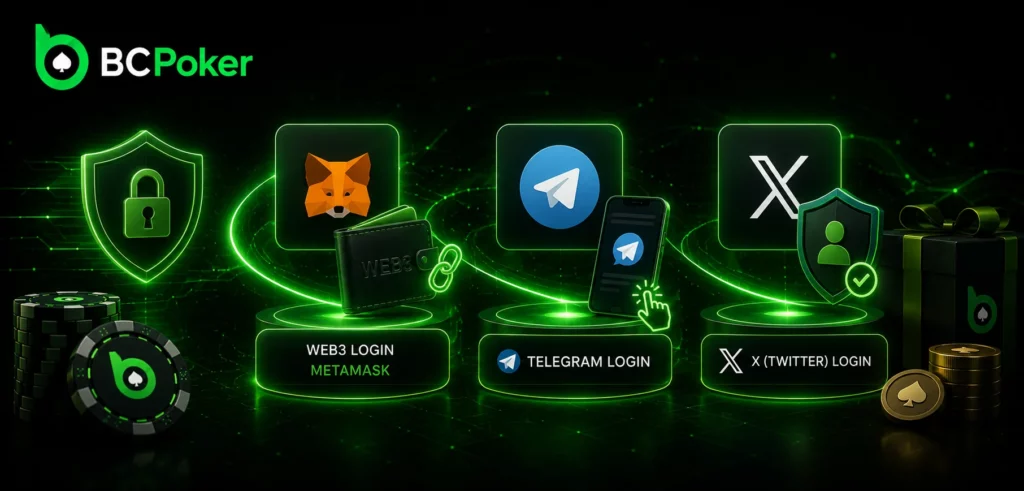
MetaMask Web3 Login – Connecting a Crypto Wallet as Your Identity
BC Poker login via MetaMask works through a cryptographic signature challenge rather than a transmitted password. The platform sends a one-time string to your browser extension or mobile wallet; you sign it with your private key, and the signature is verified against your public address server-side. No seed phrase or private key is ever shared with BCPoker at any point. Switching devices is as simple as installing MetaMask on the new machine and signing the next challenge.
Telegram Login – One-Tap Authentication via Official Bot
BCPoker login through Telegram routes a signed authorization object from the official bot to the platform after you approve the request inside the app. This is the fastest of the three passwordless methods, requiring a single tap with no code entry. The bot confirms only your Telegram user ID and account status; it does not access messages, contacts, or chat history. Revoking the connection in Telegram’s linked apps settings removes BCPoker’s access immediately.
X (Twitter) Social Login – How Permissions Are Scoped and What BCPoker Can See
BC Poker login via X uses OAuth 2.0 with a read-only permission scope. The platform receives your verified public profile name and user ID to match or create an account record; write access, direct messages, and follower data are outside the granted scope entirely. Revoking the token through X’s Connected Apps panel invalidates the session instantly. A re-authorization prompt will appear on the next login attempt if the token has been removed.
Standard Email and Phone Login Flow at BCPoker
BCPoker login through email or phone number is the default method and the one most relevant for account recovery. After entering credentials, the platform verifies the session and opens the main lobby, where cash games and the daily $500 leaderboard are immediately accessible. Keeping your registered email or phone number current directly determines whether password reset and OTP delivery will work when needed.
Entering Credentials, OTP Verification on First Login, and Remember Me Option
BC Poker login from an unrecognized device triggers a one-time password sent to your registered email or phone. Entering the six-digit code confirms the session and marks the device as trusted. The “Remember me” option stores an encrypted session token locally, so subsequent logins on the same device skip OTP verification. Clearing browser cookies or using a different browser removes the token and reactivates the OTP step on the next visit.
Password Requirements and Why BCPoker Enforces Complexity Rules
BCPoker login requires passwords that combine uppercase and lowercase letters with numbers and symbols. These rules exist because credential-stuffing attacks rely on weak or reused passwords tested automatically against new platforms. A password that doesn’t appear in breach dictionaries and meets minimum length requirements resists brute-force methods far better than simpler alternatives. Reusing a password from another service is the most common cause of unauthorized crypto account access.
Two-Factor Authentication at BC Poker Login – Why and How to Enable It
BC Poker login security increases significantly when Google 2FA is active. Without it, a correct password grants immediate access; with it, a six-digit TOTP code generated every 30 seconds on your phone is required in addition. A stolen password alone becomes useless once 2FA is in place, because the attacker would also need physical access to your authenticator device. The platform supports any standard TOTP-compatible app for this purpose.
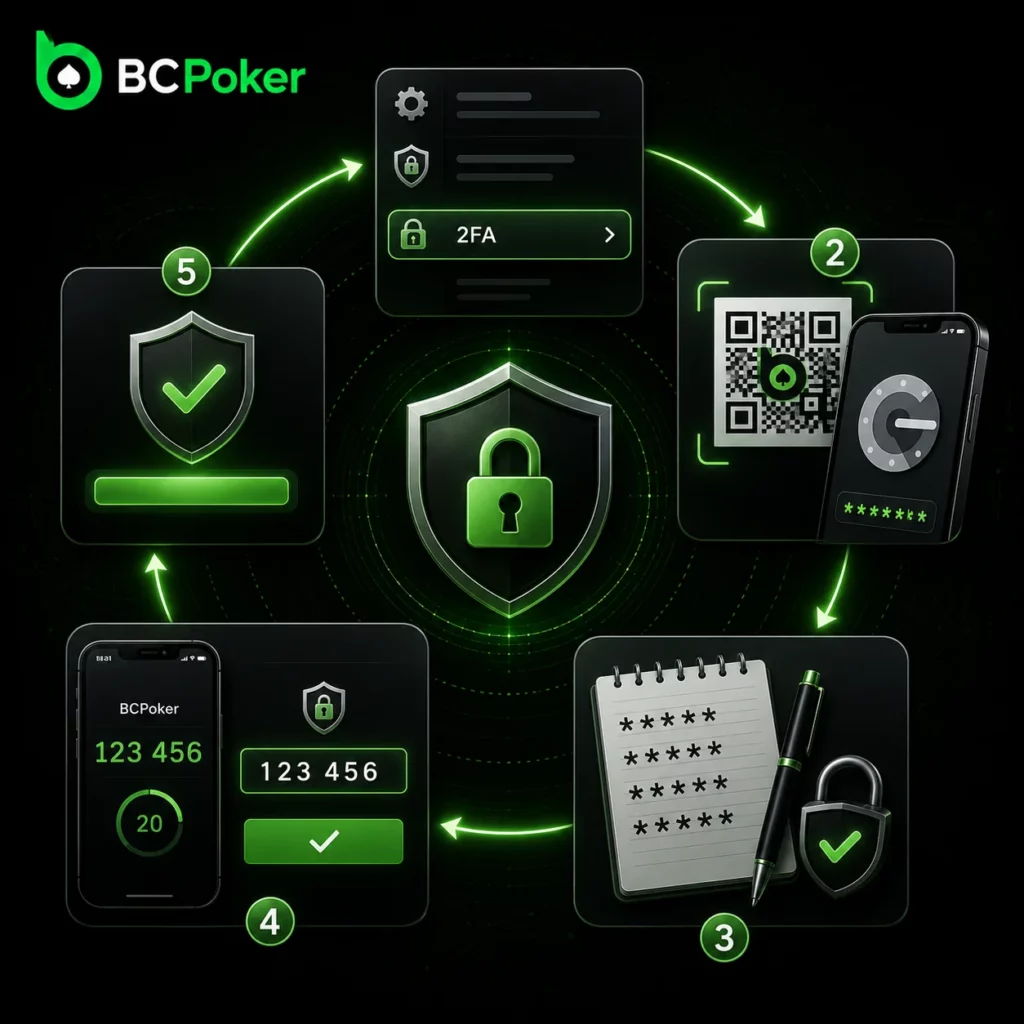
Authenticator App Setup: QR Code Scan, Backup Codes, and Test Verification
BC Poker login with 2FA begins with a short setup process in the account security section. Follow these steps to activate it.
- Open security settings: navigate to the 2FA section in your account preferences.
- Scan the QR code: use Google Authenticator or any TOTP app to scan the code displayed by the platform.
- Save backup codes: record every one-time backup code shown after the QR step, stored offline and separately from your phone.
- Test the code: enter the first six-digit code from the app before confirming activation.
- Confirm: submit the verified code to complete 2FA setup on your account.
Backup codes are each single-use, so keep all of them in a location that is not tied to the same device as your authenticator.
Scenarios Where 2FA Blocks Unauthorized Access Even with Correct Password
BC Poker login attempts with a valid password but no second factor are rejected at the verification screen. Three scenarios where this matters most: a credential-stuffing attack using a password leaked from another platform, a phishing page that captured your credentials, and a stolen or accessed device. In each case the attacker has the password but not the rotating 30-second TOTP code. Even an observed or intercepted code is worthless once its 30-second window expires.
Account Recovery After Failed BCPoker Login Attempts
BCPoker login failures past a set threshold trigger a temporary account lock as brute-force protection. Password recovery or direct support contact are the two available resolution paths at that point. Retrying the same credentials after the lock lifts without first resolving the underlying issue – a forgotten or compromised password – will not restore access.
Password Reset via Email – Token Validity Window and What to Do If Email Is Not Received
BCPoker login recovery starts with the “Forgot your password?” option on the login page, which sends a time-limited reset link to your registered email. The link contains a token that expires after a set validity window, so it must be used promptly. If the email doesn’t arrive within a few minutes, check spam and promotions folders before requesting a second link; multiple active links can cause token conflicts. If the registered email address is no longer accessible, self-service reset is unavailable and the case requires manual support review.
Escalating to Manual Support Review via Live Chat for Locked Accounts
BCPoker login issues that self-service cannot resolve – a lost email address, missing backup codes, or a suspected compromised account – require live chat escalation. Support will ask for identity-verification details tied to your original registration, such as deposit methods or transaction history. Accurate and detailed responses reduce the time needed for the manual review. Written requests can also be submitted to support@bcpoker.com for non-urgent cases.